


Showing posts with label Andriod Launcher. Show all posts
♫RZR BLACK Icon Pack v2.2♫

RZR BLACK Icon Pack ေလးနဲ႔မိတ္ဆက္ေပးလိုက္ပါတယ္ ဒီAPPေလးဟာဆိုရင္ကၽြန္ေတာ့္တို႔ဖုန္းေတြမွာရွိတဲ့ Iconေတြကိုအလွဆင္ေပးတဲ့Android Themesေလးပါပဲ။Android Version 2.3.3အထက္မ်ားတြင္အသံုးျပဳႏိုင္ပါတယ္ခင္ဗ်ာဒီေကာင္းေလးကေတာ္ေလးကိုလန္းပါတယ္ဗ်ာ။ Play Storeထိုင္းဘတ္ 39.81နဲ႔ေရာင္းပါတယ္ဒီမွာေတာ့အခမဲ့ေဒါင္းယူသြားႏိုင္ပါတယ္ဗ်ာ
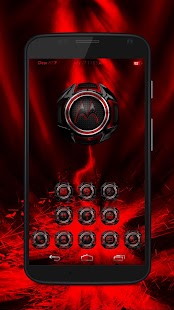
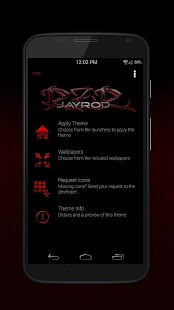
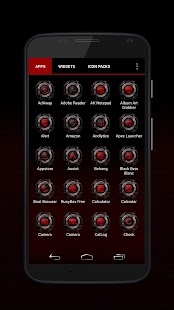
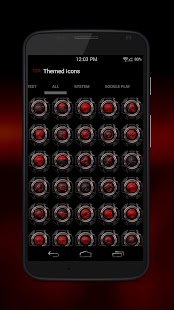 Almost1450 uniquely shaped chrome app icons ...with more to come at 192x192 px
 For Icon requests: Please use the in-app feature!
Please understand that there are some icons that are rather difficult to replicate and I rather not do generic images but I will do my best to fulfill as many requests as quickly as possible
-- COMPATIBLE WITH AT LEAST THE FOLLOWING LAUNCHERS --
- Apex
- Nova
- Aviate
- ADW
- Holo
- Action
- Go Launcher
- Next Launcher
- Inspire
.... and possibly others
There are also several App Drawer icons to choose from and for one certain individual there are 3 root explorer icons to choose from.
FEATURES
-Dashboard app with request feature built from the1dynasty's template.
- Supports partial icon mask. This means that all of your icons will be themed to some degree!
-5 wallpapers
-Some Samsung and HTC apps included as well as their specific counterparts (Phone,Contacts)
-ROM specific apps
TO APPLY WALLPAPER
Open Theme from app drawer > Wallpapers > SET WALLPAPER
The app drawer icon may need to be applied manually. (The apps within the app drawer all theme correctly, this is just referring to the icon for the drawer.) To do so, click and hold the icon on your homescreen and select 'edit', then click the icon picture.
I try to update at least weekly, or as family time/ work allows.
https://play.google.com/store/apps/details?id=com.jayrod.rzr.black&hl=en

♫Next Launcher 3D Shell v3.18 Build 141 Patched apk♫
Next Launcher 3D Shell v3.18 Build 141 ေလးအသစ္ထြက္လာလို႔ Next Launcher ကိုမွ
သံုးျခင္တဲ့ေဘာ္ေဘာ္ေတြအတြက္တင္ေပးလိုက္ပါတယ္ Android 2.2 အထက္ မွာထည့္သြင္းႏိုင္ပါတယ္။ဒါေပမဲ့ Play Store မွာထိုင္းဘတ္ 300.00နဲ႕ေရာင္းပါတယ္။ဒီမွာေတာ့အခမဲ့ေဒါင္းယူသြားႏိုင္ပါတယ္ဗ်ာ♫
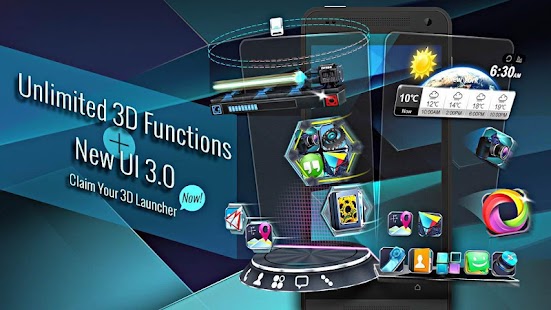
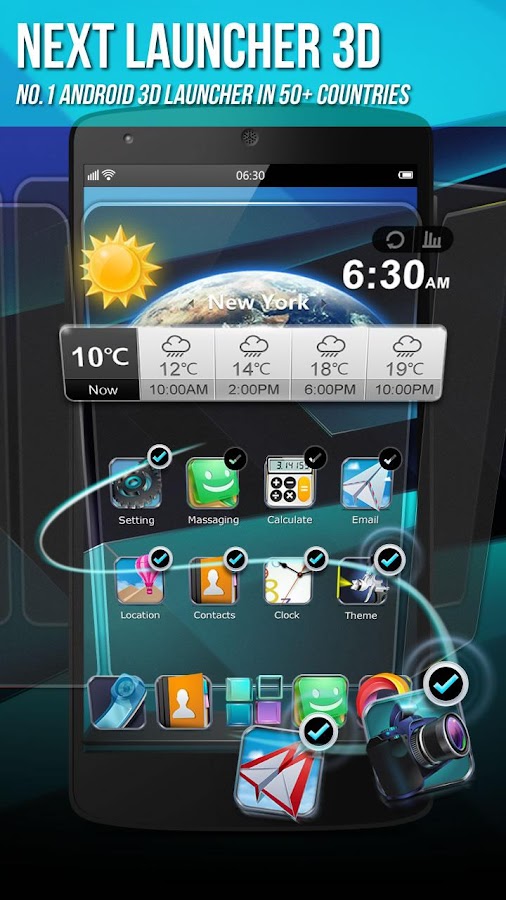
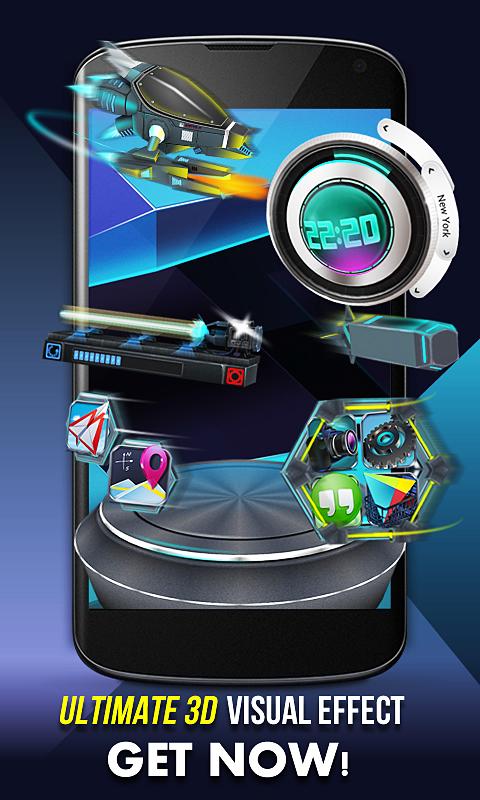 Next Launcher 3D Shell— Best 3D Launcher Ever. + Brand new UI3.0 Just Released!Next Launcher 3D Shell shows you how 3D dynamic effects and highly customizable Android home screen replacement app could redefine your Android device. Time to get rid of the flat traditional launcher and embrace REAL 3D Launcher! You deserve it!
Search Next Launcher 3D Shell Lite to get the time limited FREE trial version now!!!
Claim Your Next Launcher 3D Shell Right NOW!
Join millions of users for ultimate and splendid operation experience and visual enjoyment!
■ Testimonials
“One of the most heavily customizable, fluid, and striking launchers we’ve ever seen here at Redmond Pie.” - Redmond Pie
“A gorgeous app packed with dynamic effects and 3D elements. The gratifying 3D visual elements, transition effects, and gestures will get you a different and brilliant visual enjoyment and operation experience.” - Topapps
“The launcher features crazy 3D effects, turning any device you own into a futuristic Tron-centric trip. With additional themes and custom widgets downloadable from Google Play, it’s an extensive and extremely comprehensive option for someone looking to spice up their device.” - Droid-life
■ Key Features
- Extremely fancy 3D effect with buttery smooth experience
- Real 3D Home Screen Transition Effects (Crystal, Cloth, Folding and more coming soon)
- Stunning 3D screen preview with dazzling animation of screen switching
- Build unique icon style by changing its size, angle, style and label (Icon Editor)
- Combine all good parts from different themes into a single theme you really love (Theme Mix Mode)
- Efficient and powerful batch apps management with gestures
- Up to 8 different gestures available in home screen and app drawer
- See how cool your phone could be by blowing all the icons and the widgets to air space (Floating Mode)
- Enhanced shining border effects for home screen transition
- Up to 7 rows on dock to shortcut all your favorites
- Keep releasing 3D Next widgets, 3D themes and live wallpapers special designed by GO Launcher Dev Team
■ FAQ
1. Why I have to set Next Launcher as default home screen replacement each time after some devices restarted?
A bug in Android system 4.1.x causes the problem. If you happen to encounter this issue, please download Next Launcher Patchin Google Play and follow the tutorials to fix it.
2. How to avoid home screen elements loading problem?
Please do not install Next Launcher 3D into your SDcard. It will help avoiding home screen elements loading problem due to SDcard loading delay if you restart your phone or remove SDCard.
3. How to use icons in GO Launcher themes?
Install a Go Launcher theme -> Click “Next Key”- > Click "Theme Mix" -> Click the shining desktop elements -> Find the GO Launcher theme and apply it.
If you couldn’t apply some themes, please send themes name and your Next Launcher version to nextlauncher@gmail.com. We will follow us ASAP.
We strive to become better than we are, providing the best Android home screen replacement for you! Thanks for your support!
More tips: http://www.goforandroid.com/GDTEn/faq.aspx?softid=55&nav=99
■ Follow Us
Facebook: https://www.facebook.com/NextLauncher
Twitter: https://twitter.com/nextlauncher
Google+: https://plus.google.com/108624381722454375934/posts
■ Contact Us
E-mail: nextlauncher@gmail.com
________________________________________
Use of this app is governed by our Terms of Service: http://www.goforandroid.com/en/term-of-service.html and Privacy Policy: http://www.goforandroid.com/en/privacy-
https://play.google.com/store/apps/details?id=com.gtp.nextlauncher

♫TSF Shell 3D Launcher v3.0 Beta4.1 apk♫
 ဒီ Launcher ေလးကေတာ့ အရင္သုံးဖူးသူတုိင္းသိၾကပါတယ္.. Launcher effect မွာ icon ေတြရဲ႕လႈပ္ရွားမႈေတြကုိ စက္၀ုိင္းသ႑ာန္၊ေလးေထာင့္သ႑ာန္၊face in/fade out စသျဖင့္
အမ်ဳိးမ်ဳိးနဲ႕ သုံးသူတုိင္းအၾကဳိက္ေတြ႕ၾကပါတယ္ …3D စတုိင္ ေလးျဖစ္တာေၾကာင့္ ၾကည့္ရတာ အျမင္ဆန္းေစပါတယ္။ ဖုန္းေတြအတြက္ 3D effect ေတြန႔ဲ လန္းလည္းလုပ္ခ်င္းသူေတြအတြက္ launcher အလန္းေလးကို မိမိဖုန္းရဲ႕ Home screen ကို 3D effect ေတြန႔ဲ အလွဆင္ႏိုင္ျပီး 3D widgets ေလးေတြလဲအစံုအလင္ေအာင္းအသံုးျပဳႏိုင္ပါတယ္။Android2.2အထက္မွာအသံုးျပဳႏိုင္ပါတယ္။ဒါေပမဲ့ Play Store မွာထိုင္းဘတ္ 350.00နဲ႕ေရာင္းပါတယ္။ဒီမွာေတာ့အခမဲ့ေဒါင္းယူသြားႏိုင္ပါတယ္ဗ်ာ။
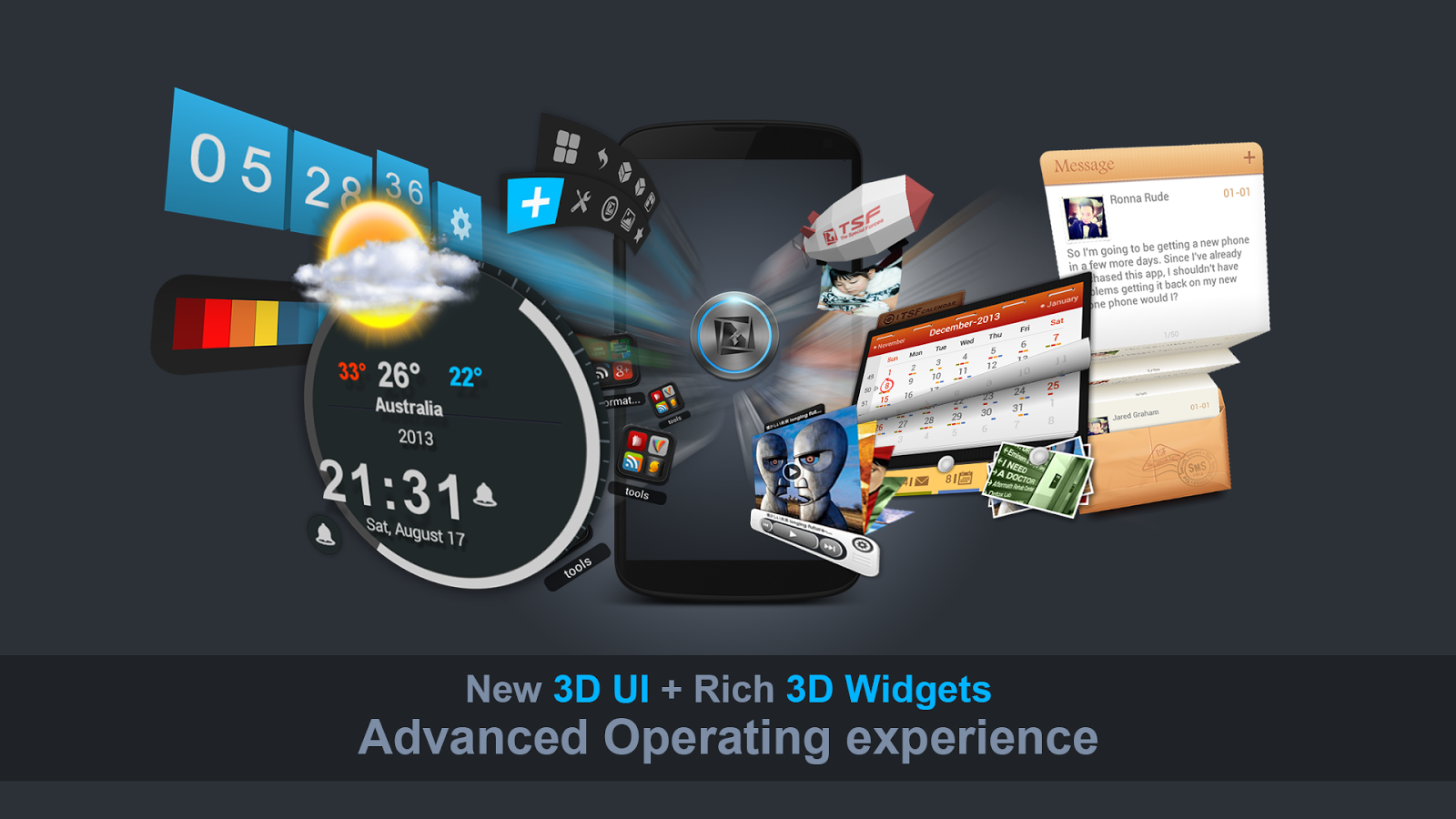
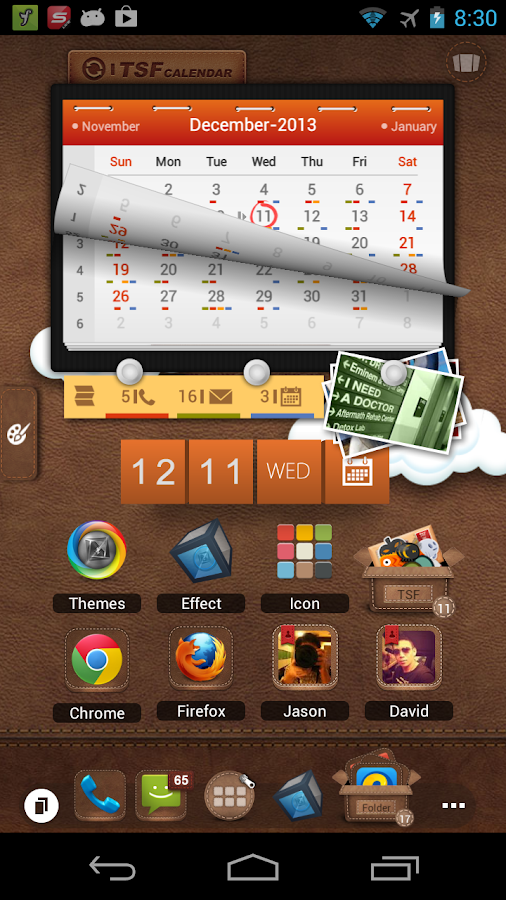
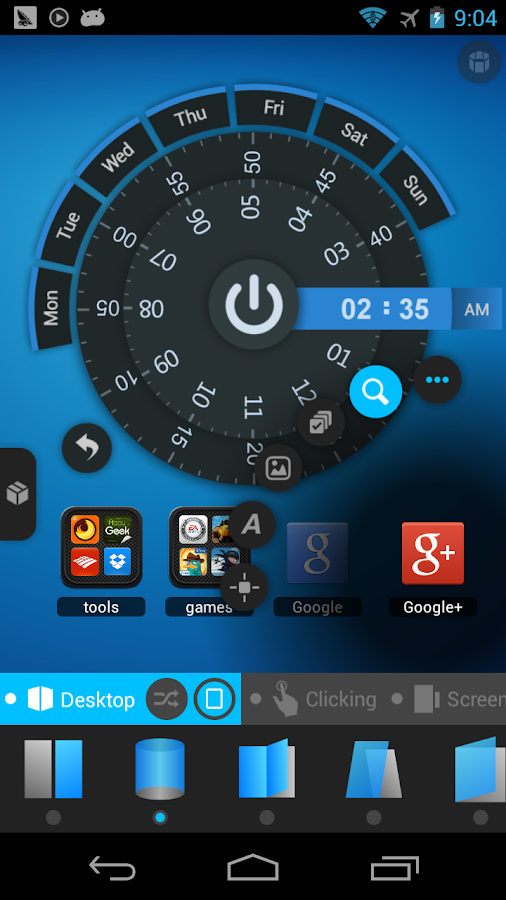
TSF Shell is a brand-new 3D launcher that will subvert your concept of the mobile device home screen operations. It offers smooth, unique and customized man-machine interactive operation experience. You are allowed to define all the elements of the home screen freely and efficiently. TSF Shell keeps creating new features and exclusive 3D widgets that will bring you amazing operation experience and unprecedented visual. Main features:
========================
1.Fantastic animation transition effects. All operations, including deletion, addition, menu showing-up or vanishing, are provided with natural, glaring and butter-smooth animation transition effects.
2.Miraculous and effective 3D home screen switching mode and freewheeling home screen element layout mode. More than 10 independent layout home screens supported.
3.Unlimited dock bar. Ability to change its position, length and angle as well as to modify the size and the status (hidden or showed) of icons and folders in the dock bar. You can open the apps and the folders in the dock bar with wave-sliding mode.
4.Batch icon selecting for home screens, folders and dock bar.
5.More than 10 TSF Shell exclusive widgets, such as Message, Clock, Weather, Memo, Music, Gallery etc. All 3D widgets provide unique visual and operative experience.
6.More than 9 gestures supported for Android shortcuts, e.g. app launching, phone call, sms, as well as TSF Shell shortcuts, e.g. home screen switching, status bar hiding, TSF Shell side bar hiding.
7.TSF Shell Arch Shortcut Menu with special animation effects and operative experience. Ability to complete quick custom shortcut operations on any home screen.
8.Pioneering icon editing tool. Ability to customize icon back image, upon image, text label style, etc.
9.Many nice free third-party themes are available.
10.Funny and intuitive TSF Shell settings menu. You can preview the corresponding settings directly.
========================
We are working constantly to improve TSF Shell. We update our product and widgets regularly. Please check for updates often to insure you receive the best experience.
https://play.google.com/store/apps/details?id=com.tsf.shell
========================
1.Fantastic animation transition effects. All operations, including deletion, addition, menu showing-up or vanishing, are provided with natural, glaring and butter-smooth animation transition effects.
2.Miraculous and effective 3D home screen switching mode and freewheeling home screen element layout mode. More than 10 independent layout home screens supported.
3.Unlimited dock bar. Ability to change its position, length and angle as well as to modify the size and the status (hidden or showed) of icons and folders in the dock bar. You can open the apps and the folders in the dock bar with wave-sliding mode.
4.Batch icon selecting for home screens, folders and dock bar.
5.More than 10 TSF Shell exclusive widgets, such as Message, Clock, Weather, Memo, Music, Gallery etc. All 3D widgets provide unique visual and operative experience.
6.More than 9 gestures supported for Android shortcuts, e.g. app launching, phone call, sms, as well as TSF Shell shortcuts, e.g. home screen switching, status bar hiding, TSF Shell side bar hiding.
7.TSF Shell Arch Shortcut Menu with special animation effects and operative experience. Ability to complete quick custom shortcut operations on any home screen.
8.Pioneering icon editing tool. Ability to customize icon back image, upon image, text label style, etc.
9.Many nice free third-party themes are available.
10.Funny and intuitive TSF Shell settings menu. You can preview the corresponding settings directly.
========================
We are working constantly to improve TSF Shell. We update our product and widgets regularly. Please check for updates often to insure you receive the best experience.
https://play.google.com/store/apps/details?id=com.tsf.shell
Solo Launcher – Smooth & Smart v1.9.2
Home Screen လန္းလန္းေလးျဖစ္တဲ့ Solo Launcher ေလးကိုတင္ေပးလိုက္ပါတယ္။icon ေတြကိုလည္း Easier to remove ျပဳလုပ္ႏိုင္သည့္အျပင္ )wallpapers, icons, themes ေပါင္ 5000 ေက်ာ္ပါ၀င္ၿပီးiOS 7 theme မွာAndroid L theme စတိုင္ေတြလည္းအမ်ား ၾကီးပါ၀င္ပါတယ္။notifications ကေန Unread message , SMS, emails and also miscall ေတြကိုေဖာ္ ျပေပးပါတယ္။Android: 4.0 ႏွင့္အထက္ကစျပီးအသံုးျပဳႏိုင္ပါတယ္...
Description
SIMPLE, SWIFT & SMART.Solo Launcher has visualized and highly customizable settings, thousands of
free themes, efficient home screen gestures, Google Now voice support.
★Solo Facebook Community (http://www.facebook.com/sololauncher)
- Join Solo Launcher Facebook community. Community activities will be held
regularly.
- Official News, new themes, live wallpapers, lockers and Beta volunteering
information will be updated on the Facebook page.
- EXTRA! Free personalized design for you! If you fancy a certain style of icon and
wallpaper, just leave a message on Facebook and we will design it for you for free.
★Download Solo Launcher and enjoy 5,000+ awesome wallpapers, icons, themes for
FREE.
★Users and professional reviewers love Solo Launcher. Here’s what they are saying:
"Solo Launcher manages to stand out by having a lot of the same features as other smart launchers, while still being free, and adding some sweet gesture controls”—Lifehacker
"Solo Launcher is an Android tinkerer's dream come true." —TechRepublic
"It aims to be the best. A focus on both flexibility and speed is at the heart of Solo Launcher." —AndroidHeadlines
"Very nice and elegant. It has been better than many of the other launchers I have used so far. Really smooth, fast and customizable. Great launcher. Highly recommended." —Anjanava Biswas
"This is by far the best launcher I have found. All the icons and homescreen tie together well and there are a ton of features and settings.” —Bry Hov
"I prefer Solo Launcher over all other launchers. Best of all it's FREE! No premium etc like you need with other launchers" —Kingvanimal
★FEATURES
Highly Customizable
- Over 300 personalization settings to choose from, more than 5,000 awesome themes, live wallpapers, screen-lockers and fonts are available.
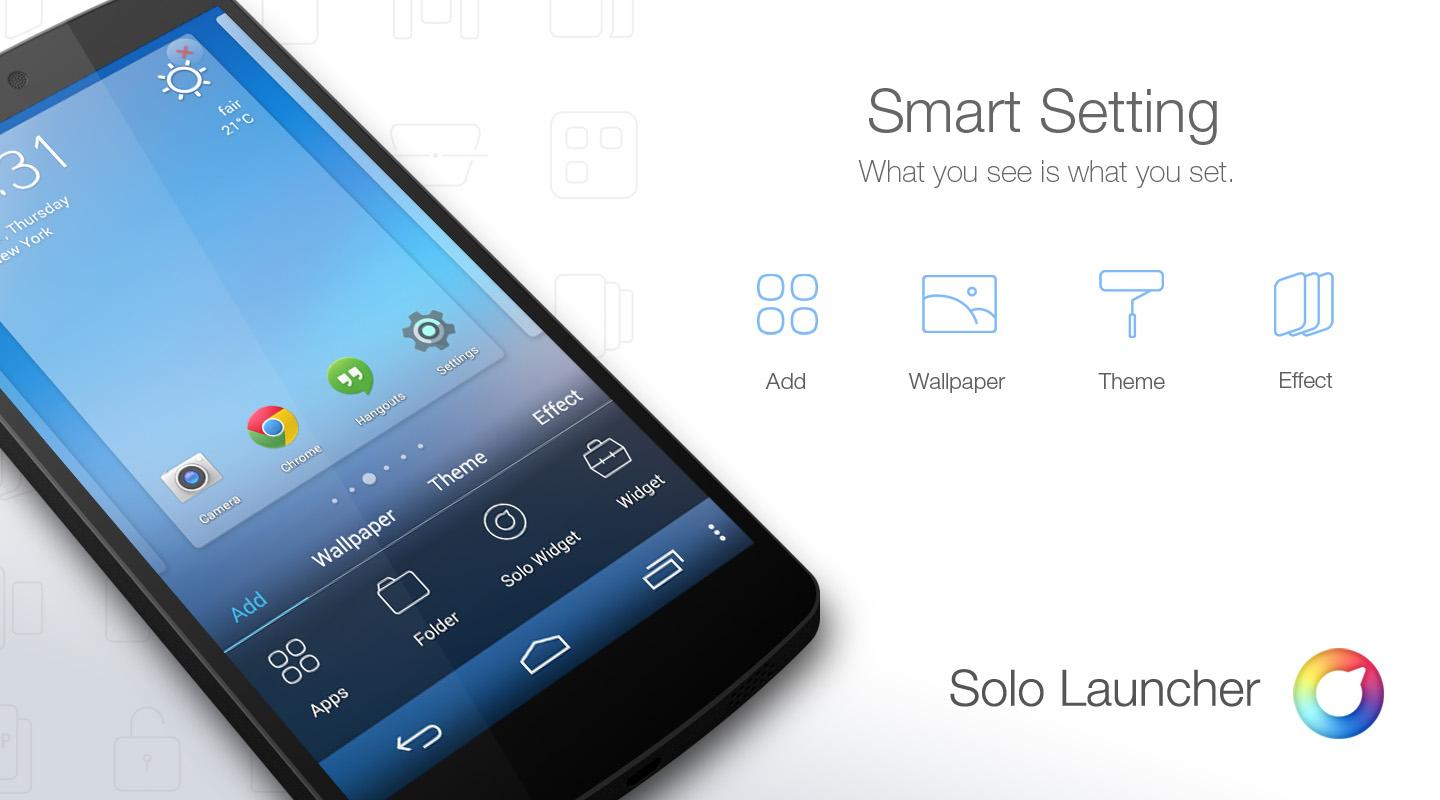
Visualized Setting
- "What you see is what you set".
- Clear and logical setting interface. You can preview the setting effect and make the choice easily and quickly.
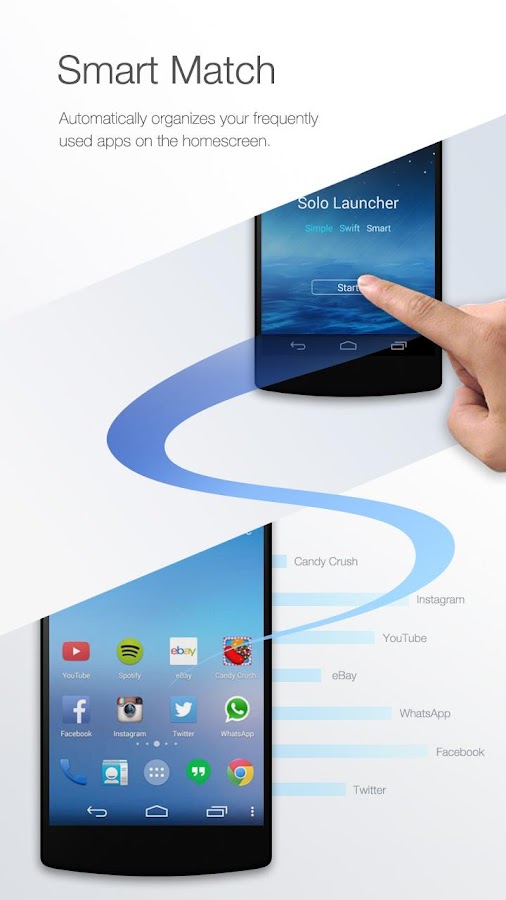
Smart Homescreen Icon Management
- Automatically put your frequently used app icons on the home screen, and everything is ready to go!
Nine Efficient Gestures
- Quickly access functions with gestures such as swiping up/down, double tapping, pinching in/out, etc.
Unread Message Count
- For SMS, emails and also missed call notifications.
Grouping Made Easy
- Organize apps into tabs and folders in the app drawer.
Smart Widgets
- Free customized animated weather clock widget, One-click Cleaning widget, Solo Smart Search widget. etc.
Customizable Toolbar
- Set frequently-used apps in the toolbar and quickly access them from the notification center.
5,000+ Awesome Wallpapers, Icon Packs and Themes for FREE
- Download Solo Launcher to enjoy over 5,000 fabulous free themes, icons and live wallpapers in Solo Play, including iOS 7 theme & Android L theme.
“ OK, Google ” Hotword Search is Live Now!
- Enjoy voice search right from the homescreen or any app drawer, without tapping on the keyboard.
Icon Gallery
- App icons can be replaced with ones from the Solo Icon Gallery, or you can select a picture from your Photo Gallery.
Completely FREE
- Other launchers with the same or comparable features may charge around $5,while Solo Launcher, and all its themes, are free.
For any suggestions, feedback or requests, please go to our Facebook page at: http://www.facebook.com/sololauncher
or email us at: Solo.launcher.dev@gmail.com.
Want more? Enjoy more free themes: Get Now
Subscribe to:
Posts
(
Atom
)