


VueScan Pro 9.4.66 (x86/x64) With Serial Keys

photographer သမားေတြနွင္ ့ scan servies ေတြကိုလုပ္ေဆာင္ေနက်သူ ေတြရဲ ့လ်ိဳ ့ဝွက္ခ်က္ ျဖစ္တဲ ့ vuescan ။ ဒီေကာင္ေလးက ဓါတ္ပံုပညာရွင္ေတြသံုးတဲ ့ေဆာ ့ဝဲေလးပါ (ဝါသနာရွင္ေတြလည္းအထူးနွစ္သက္ၾကပါတယ္)အရမ္းေကာင္း ပါတယ္။ကၽြန္ေတာ္ ့ပရိတ္သတ္ၾကီးကိုလည္းျပန္လည္မ်ွေဝ
လိုက္တယ္ေနာ္။ဒီေကာင္ေလးကWindows 8, 7, Vista, XP, Windows, Mac OS X, and Linux.2000 ios phon ေတြမွာအသံုးျပဳလို ့ရပါတယ္အသံုးျပဳရတာရွဳပ္၇ွဳပ္ေထြးေထြးမရိွပဲရိုးရွင္းတဲ ့မူဟန္ေတြေၾကာင္ ့အဆင္ေျပမယ္လို ့ေမ်ွာ္လင္ ့ပါတယ္
အေသးစိတ္ကိုေအာက္မွာေလ ့လာေပးပါခင္ဗ်ာ။
VueScan, the world’s most popular scanner software, is used extensively by photographers, home users, scanning services and corporations. It works with most high-quality flatbed and film scanners to produce scans that have excellent color fidelity and color balance. VueScan is very easy to use, and also has advanced features for restoring faded colors, batch scanning and other features used by professionals. VueScan can output scanned documents, photos, and film in PDF, JPEG, TIFF formats. It can also recognize text usingOCR and create multi-page pdfs using both flatbed scanners and scanners with automatic document feeders. VueScan is a replacement for the software that came with your scanner.
Whether you are looking for more advanced features that your scanner vendor doesn’t provide, or your scanner vendor no longer supports your scanner, VueScan helps you get the most out of your scanner. VueScan changes nothing on your system, installs nothing in your system and all other scanner software will continue to function.
Accessing your WiFi enabled scanner has never been easier. VueScan Mobile allows you to seamlessly scan documents and photos straight to your iPhone, iPad, or iPod Touch from HP, Canon, and Epson WiFi printer/scanners. In addition to sending via Email and saving to the Photos App, Vuescan Mobile allows you to save scanned images to your favorite iOS apps that can open PDF or JPEG files such as iBooks, Dropbox, GoodReader, Evernote, etc.
VueScan is compatible with over 2500 different scanners so chances are it will work with yours too. The program has been built in two completely different types: Standard and Professional Editions. Guide Me mode guides you step by step through the scanner process. The Advanced mode let’s you unlock powerful features to have complete control over your scan. After you purchase and enter a serial number, the Standard Edition or Professional Edition features are enabled and the dollar-sign watermark is disabled.
VueScan works on Windows, Mac OS X, and Linux. Many scanner vendors will stop supporting a scanner and it will stop working on a new operating system. VueScan solves that problem and let’s you use your old scanner again.

KMS Activator Ultimate 2015 v2.5.1
Window 8.1 , 8 , 7 , Office 2013 Professional Plus+
Office 2013 Standard +Project 2013 Professional+Project 2013 Standard+Visio 2013 Professiona+lVisio 2013 Standardေတြအကုန္လံုးကို Activate လုပ္နိုင္တဲ့ Tool ေလးပါ Version အသစ္ထြက္လို႕တင္ေပးလိုက္ပါတယ္ . . .
Windows KMS Activator Ultimate 2014 is the most Simple & user-Friendly activator for Windows Vista, 7, 8, 8.1
It is Safe activator with no harm to System Files, Period of activation is 180 days and you can renew it
You can remove any previous activations ,You can know informations about your activation,your window s serial and the rest days of activation
It Activates :
Windows 8.1 Professional
Windows 8.1 Professional Wmc
Windows 8.1 Professional_N
Windows 8.1 Enterprise
Windows 8.1 Enterprise_N
Windows 8.1 ProfessionalPreview
Windows 8.1 Preview
Windows 8.1 CoreARM
Windows 8.1 Core
Windows 8.1 CoreN
Windows 8.1 CoreSingleLanguage
Windows 8.1 CoreCountrySpecific
Windows 8.1 EmbeddedIndustry
Windows 8.1 EmbeddedIndustryE
Windows 8.1 EmbeddedIndustryA
Windows 8 Professional
Windows 8 Professional N
Windows 8 Enterprise
Windows 8 Enterprise N
Windows 8 ProfessionalPreview
Windows 8 PreRelease
Windows 8 ProfessionalWMC
Windows 8 CoreARM
Windows 8 Core
Windows 8 CoreN
Windows 8 CoreSingleLanguage
Windows 8 CoreCountrySpecific
Windows 8 EmbeddedProfessional
Windows 8 EmbeddedEnterprise
Windows 7 Professional
Windows 7 Professional N
Windows 7 Professional E
Windows 7 Enterprise
Windows 7 Enterprise N
Windows 7 Enterprise E
Office 2013 Standard +Project 2013 Professional+Project 2013 Standard+Visio 2013 Professiona+lVisio 2013 Standardေတြအကုန္လံုးကို Activate လုပ္နိုင္တဲ့ Tool ေလးပါ Version အသစ္ထြက္လို႕တင္ေပးလိုက္ပါတယ္ . . .
Windows KMS Activator Ultimate 2014 is the most Simple & user-Friendly activator for Windows Vista, 7, 8, 8.1
It is Safe activator with no harm to System Files, Period of activation is 180 days and you can renew it
You can remove any previous activations ,You can know informations about your activation,your window s serial and the rest days of activation
It Activates :
Windows 8.1 Professional
Windows 8.1 Professional Wmc
Windows 8.1 Professional_N
Windows 8.1 Enterprise
Windows 8.1 Enterprise_N
Windows 8.1 ProfessionalPreview
Windows 8.1 Preview
Windows 8.1 CoreARM
Windows 8.1 Core
Windows 8.1 CoreN
Windows 8.1 CoreSingleLanguage
Windows 8.1 CoreCountrySpecific
Windows 8.1 EmbeddedIndustry
Windows 8.1 EmbeddedIndustryE
Windows 8.1 EmbeddedIndustryA
Windows 8 Professional
Windows 8 Professional N
Windows 8 Enterprise
Windows 8 Enterprise N
Windows 8 ProfessionalPreview
Windows 8 PreRelease
Windows 8 ProfessionalWMC
Windows 8 CoreARM
Windows 8 Core
Windows 8 CoreN
Windows 8 CoreSingleLanguage
Windows 8 CoreCountrySpecific
Windows 8 EmbeddedProfessional
Windows 8 EmbeddedEnterprise
Windows 7 Professional
Windows 7 Professional N
Windows 7 Professional E
Windows 7 Enterprise
Windows 7 Enterprise N
Windows 7 Enterprise E
-Office 2013 Professional Plus
-Office 2013 Standard
-Project 2013 Professional
-Project 2013 Standard
-Visio 2013 Professional
-Visio 2013 Standard
Requirements:
1. A computer with Windows 8.1 or Windows Server 2012 R2
2. A x86 or x64 bit processor
3. Administrator privileges on the computer
4. Patience and reading everything carefully
Changelog 2.5.1:
-Fixed the updating website/ server by replacing it (Bye x10)
-Fixed a critical bug in the task scheduler (This will keep it activated forever now)
Window 8.1 , 8 , 7 , Vista ေတြအကုန္လံုးကို Activate လုပ္နိုင္တဲ့ Tool ေလးပါ Version အသစ္ထြက္လို႕တင္ေပးလိုက္ပါတယ္ . . .
Copy and WIN : http://bit.ly/copynwin
Copy and WIN : http://bit.ly/copynwin
ဒီဇိုင္းအလန္းဆံုးနာမည္ႀကီး Next Launcher Theme Contrastum v2.9.2

ဒီဇိုင္းအလန္းဆံုးနာမည္ႀကီးNext Launcher Theme Contrastum ေလးပါ ဗားရွင္းအသစ္ေလးပါ ဒီဇိုင္းေလးလန္းၿပီး လူႀကိဳက္မ်ားတဲ့ Next Launcher ေလးမို႔ တင္ေပးလိုက္ပါတယ္ေအာက္မွာေဒါင္းပါ၊၊♫Android 2.1 ႏွင့္အထက္ကစျပီးအသံုးျပဳႏိုင္ပါတယ္။ဒါေပမဲ့ Play Store မွာထိုင္းဘတ္ 105.41နဲ႕ေရာင္းပါတယ္။ဒီမွာေတာ့အခမဲ့ေဒါင္းယူသြားႏိုင္ပါတယ္ဗ်ာ။
♫Android 2.3.3 ႏွင့္အထက္ကစျပီးအသံုးျပဳႏိုင္ပါတယ္။ဒါေပမဲ့ Play Store မွာထိုင္းဘတ္ 119.99နဲ႕ေရာင္းပါတယ္။ဒီမွာေတာ့အခမဲ့ေဒါင္းယူသြားႏိုင္ပါတယ္ဗ်ာ။
Copy and WIN : http://bit.ly/copynwin
Copy and WIN : http://bit.ly/copynwin
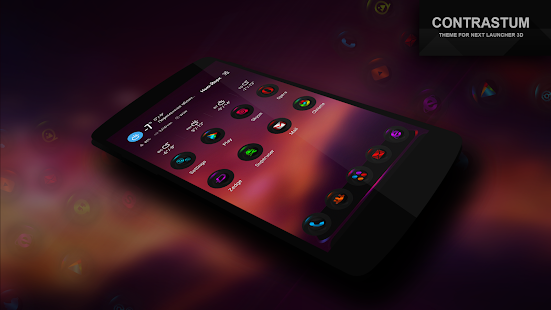
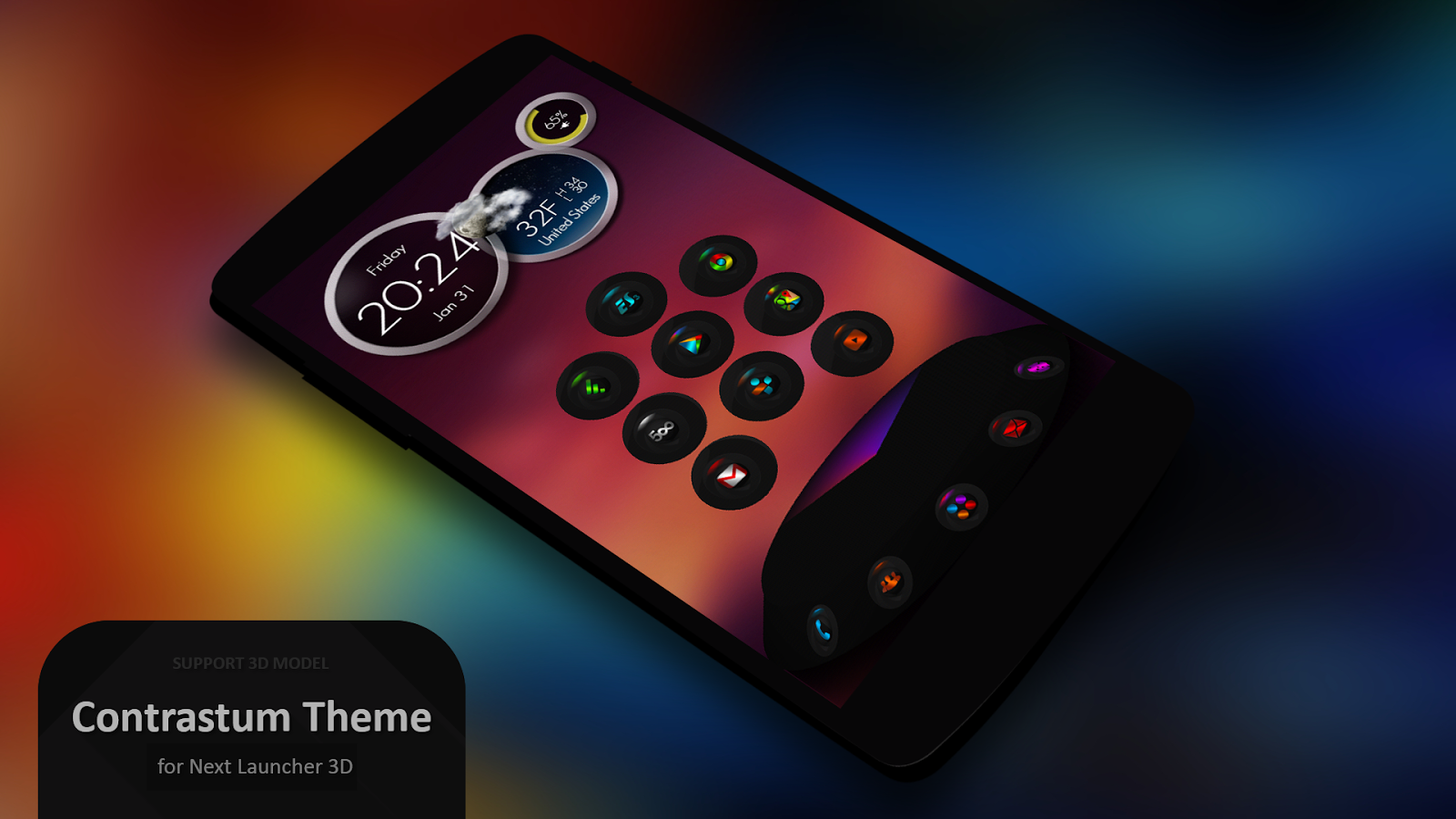
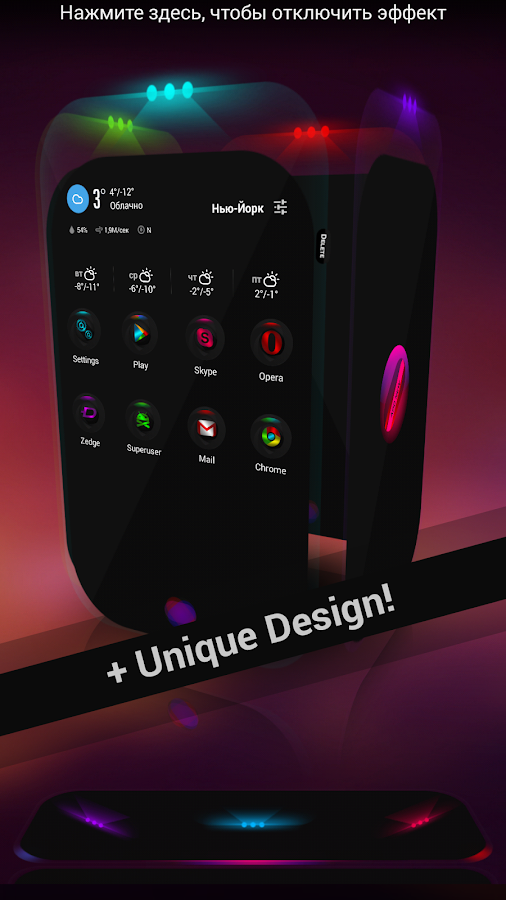
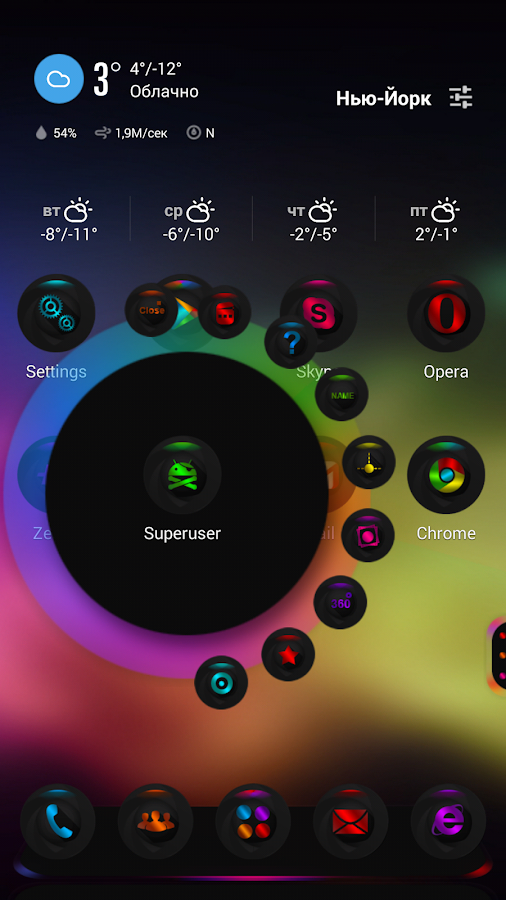
Please make sure that you have purchased and installed the latest version of the Next Launcher 3D.
Installation in classical mode :
Press menu on your desktop - > Themes - > Phone -> Select theme Contrastum.
Installation in 3D mode :
Switch Next Launcher to 3D mode -> click desktop menu -> select Themes - > Phone -> Select theme Contrastum.
Installation clock widget :
-Go to the system widgets
-Scroll down the list and drag Contrastum Clock widget on the desktop
Installation recommendations:
1.If you don't see the theme, then after installation you must first apply the standard theme of the Next Launcher.
After that, the theme appears in the selection of themes.
2 . If you don't correctly display a preview of desktops in a 3D mode, you need to dump settings of a launcher in a state by default (it is possible to make it in settings of a launcher, tab backup) and then to apply a theme.
3. If you do not appear circular substrate below the icons in the 3D mode, you need to clean NextLauncher_Data folder in the phone memory or on a flash card, as well as reboot your device.
next launcher theme zt.art
If you have any questions, please write to me in English to email: karsakof@gmail.com

1CLICK DVD Copy Pro 5.0.1.3 Multilanguage

ဒီေကာင္ေလးကေတာ့ 1CLICK DVD Copy Pro 5.0.1.3 Multilanguage ေလးပါ။ DVD အလြယ္ကူျခင္းနဲ႕ ဘမ္းျခင္းမ်ားျပဳလုပ္ႏိုင္ပါတယ္။ ဖိုင္ဆိုဒ္ကေတာ့ 7 .62MB ရိွပါတယ္။ crack ဖိုဒ္ေလး ပါထည့္ေပးထားပါတယ္။

1CLICK DVD COPY - PRO™ is a fast, easy-to-use, full featured software for copying DVD movies onto DVD discs. The latest version now incorporates CPRx™ technology to ensure the highest level of success copying the latest generation of DVD movies. You now have complete control over the final copy. Use the Copy Presets™ or the more advanced features to select what content will be copied and how much compression will be used. With 1CLICK DVD COPY - PRO, you can make a perfect copy with just one click.
In order to copy a DVD which has been authored using these new schemes, 1CLICK DVD COPY now utilizes state of the art CPRx technology to ensure the highest level of success when making an archival backup. Just as we've become accustomed to relying on anti-virus software to keep us protected against the latest viruses, we must also rely on new updates of CPRx to ensure we can copy the latest DVD releases. With 1CLICK's update notification feature, you can rest assured that you will be notified every time a new version of the software is available.
Features of 1Click DVD Copy Pro :
Windows 8 Compatible.
CPRx technology for copying new DVD movies.
Copy Presets - One click preset for each type of DVD copy.
Preview the movie, extras and menus.
Include or exclude movie and menus based on preview.
Select individual audio, video, and subtitles streams.
Control the amount of video compression used.
Make additional backup copies without re-copying the DVD.
Copy Episodic DVD Movies, TV Series, etc.
Copy a movie to your hard drive - great for laptops.
Supports copying of Multi-Channel Audio (Dolby Digital 5.1, DTS).
Supports both NTSC and PAL DVD movies.
Supports Dual Layer media.
Free software updates for a year.
Free technical support.
TeraCopy Pro 3.0 alpha 2 With Keys
တို႕ Free Trial ကိုသံုးလာတာျမန္တယ္ဆိုေပမယ့္အခုလိုင္စင္နဲ႔သံုးလိုက္တဲ့အခါမွာအံ့ၾသေလာက္ေအာင္ ပိုျပီးအရင္ထက္ 4 ဆမကျမန္ဆန္လာတာကိုေတြ႔ျမင္ရမွာပါ။ဖိုင္ဆိုဒ္ကေတာ့ 3.47 mb ပဲရွိပါတယ္။
Popular utility designed to copy files faster and more reliably, providing the user with many features. TeraCopy uses dynamically adjusted buffers to reduce seek times. It can resume broken file transfers and skip bad files during the copying process.
One of the most common complaints about newer versions of Windows is the slow copying speed, especially when transferring lots of files over the network. If you want to speed up your copying or if you regularly transfer large amounts of data and have to stop the process to perform some other disk-intensive task, this program may be just what you need.
TeraCopy is designed to copy and move files at the maximum possible speed. It skips bad files during the copying process, and then displays them at the end of the transfer so that you can see which ones need attention. TeraCopy can automatically check the copied files for errors by calculating their CRC checksum values. It also provides a lot more information about the files being copied than its Windows counterpart. TeraCopy integrates with Windows Explorer's right-click menu and can be set as the default copy handler.
Copy files faster
TeraCopy uses dynamically adjusted buffers to reduce the seek times. Asynchronous copying speeds up the file transfer between two physical hard drives.
Pause and resume file transfer activities
Pause the copy process at any time in order to free up system resources and continue with a single click.
Error recovery
In case of a copy error, TeraCopy will try several times to recover and, in the worse case scenario, will simply skip the file, not terminating the entire transfer.
Interactive file list
TeraCopy shows the failed file transfers and lets you fix the problem and recopy only the problem files.
Shell integration
TeraCopy can completely replace the Explorer copy and move functions, in turn enabling you to work with files as usual.
YouTube ကေနၿပီး နိင္ငံၿခားကားမ်ားကို ၿမန္မာစာတမ္းထိုးၿဖင့္ တိုက္ရုိက္ၾကည့္နည္း
ေဘာ္ေဘာ္တို ့ကို YouTube ကေနၿပီး နိင္ငံၿခားကားမ်ားကို ၿမန္မာစာတမ္းထိုးၿဖင့္ တိုက္ရုိက္ၾကည့္နည္းကို ပုံနဲ တကြ ေအာက္မွာ ရွင္ၿပထားပါတယ္၊၊
အရင္ဆုံး youtube ကို၀င္ၿပီး
 settings ကို နိပ္လိုက္ပါ ၿပီးရင္ေတာ့
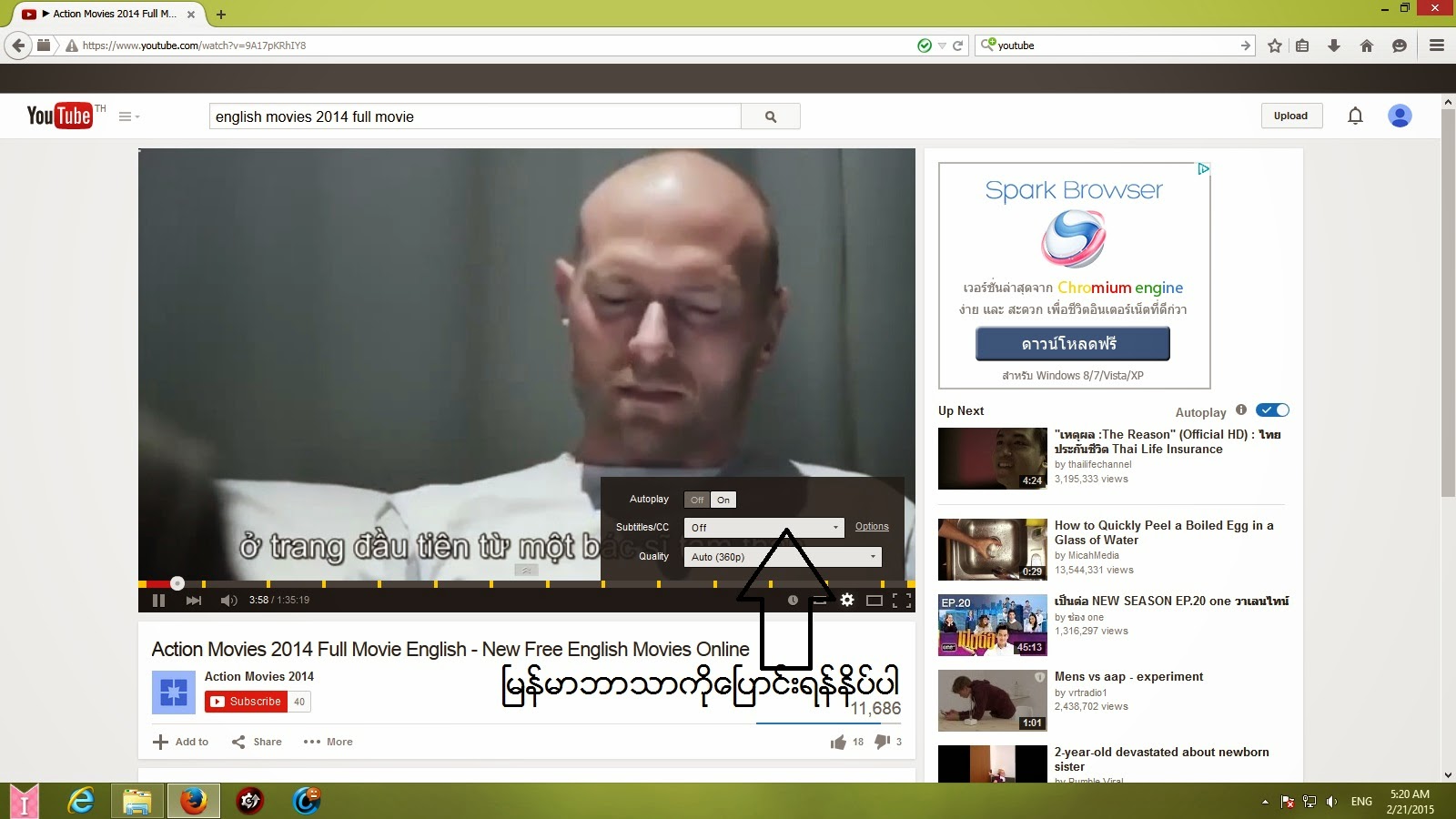 အရင္ဆံု ဘာသာစကားခ်ိန္းပါမယ္
 english ကို အရင္ေၿပာင္းလိုက္ပါ ၿပီးရင္ေတာ့

english လိုေၿပာင္းရင္အတြက္ translate captions ကိုနိပ္ၿပီးေတာ့

 ok ကိုနိပ္လိုက္လိုက္ပါ ၿပီးရင္ေတာ့
 setting က options ကိုနိပ္လိုက္ပါ ၿပီးရင္ေတာ့
 myanmar 3 ကို နိပ္လိုက္ပါ zawgyi one က ၿမန္မာစာအမွန္ မရဘူးေနာ္
 ၿမင္တယ္ေနာ္ရၿပီးေနာ္ myanmar 3 မရွိရင္ေတာ ့ ေအာက္မွာေဒါင္းလိုက္ေနာ္
အရင္ဆုံး youtube ကို၀င္ၿပီး
english လိုေၿပာင္းရင္အတြက္ translate captions ကိုနိပ္ၿပီးေတာ့
burmese ကိုနိပ္ၿပီးၿမန္မာ ဘာသာေၿပာင္းလိုက္ပါ ၿပီးရင္ေတာ့
VivaVideo Pro: Video Editor v3.9.4
VivaVideo Pro: Video Editor v3.9.4 Apk ေလးကေတာ့ ဖုန္းထဲမွာ ဗီဒီယို Edit လုပ္ဖို႔ ေဆာ့၀ဲ ေကာင္းေလးတစ္ခုပါ February 15, 2015 ကမွထြက္လာတာပါ ေအာက္မွာေဒါင္းၿပီး စမ္းသံုးၾကည့္လိုက္ပါ♫Android 2.3.3 ႏွင့္အထက္ကစျပီးအသံုးျပဳႏိုင္ပါတယ္။ဒါေပမဲ့ Play Store မွာထိုင္းဘတ္ 119.99နဲ႕ေရာင္းပါတယ္။ဒီမွာေတာ့အခမဲ့ေဒါင္းယူသြားႏိုင္ပါတယ္ဗ်ာ။
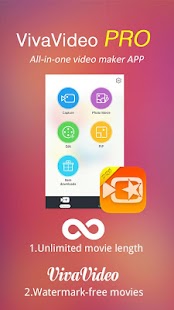
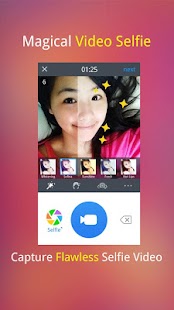
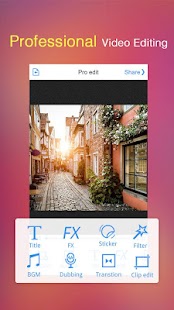
VivaVideo Video Editor & Maker has over 30 million users all over the world, ranked as No.1 Video Creation App in 60+ countries. With VivaVideo, you can transform everyday moments into works of art in your hand and share with your friends and family easily.
Vivavideo Pro version has followings extra features:
- Watermark-free videos
- Unlimited video length
★Popular Functions to Recommend
# Magical selfie camera with 7 beauty filters
# Personalize your video with animated stickers, titles, FX, musics, live dubbing and other effects
# Make an impressive MV with your photos just in several clicks
【KEY FEATURES】
***Creative & Fun Video Cam***
- Brand new selfie camera with seven beauty filters
- Support multi capture modes: Basic/FX/Funny/Music Video/PIP
- Support recording Instagram & Vine videos
- Built-in 60+ cool & live video effects and can be downloaded for FREE!
- Unique storyboard shooting style to tell your own story easily
***Quick Photo Movie Maker***
- Create the great video slideshow from your album less than one minute!
***Video PIP(Picture in Picture) Maker***
- Merge clips with many stylish templates, more funny and creative!
***Easy & Powerful Video Editor***
- Add some nice & cute animated stickers
- Provide quick & professional editing modes for normal and pro users
- Trim your videos and produce clips.
- Storyboarding editing, easy to merge videos and make the montage
- One click to enhance your videos by using various effects
- Highlight your videos with filters, FX, transitions, titles, music and live dubbing
- All editing operations can be instant previewed in WYSIWYG way
- All can be downloaded for FREE!
***Export and Share***
- Export your videos to the gallery
- Share your masterpieces to Facebook, Youtube, Instagram, WhatsApp, Facebook Messenger, Line, email and etc
If you have any problems, please contact: support@xiaoying.tv
Your feedback is welcomed and highly appreciated. Or you can
Like us on Facebook:
https://www.facebook.com/vivavideoapp
Follow us on Twitter:
https://twitter.com/vivavideoapp
Instagram: @vivavideoapp
TAG #Vivavideo for a chance to get featured in SNS & have fun with all of us!
Subscribe to:
Posts
(
Atom
)